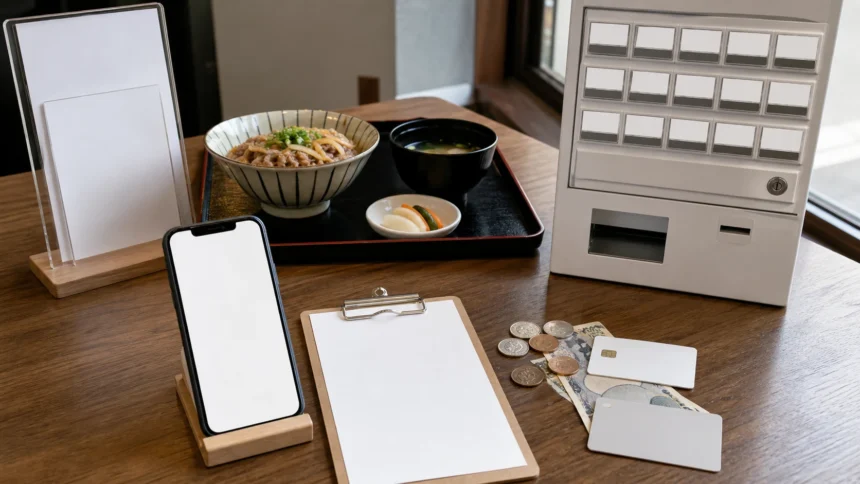
Short answer: A restaurant ticket machine in Japan is a prepaid ordering tool, but there is no single sequence that works everywhere. First inspect the screen, buttons, payment logos, and nearby signs. Choose a language and dine-in or takeaway mode if offered, work out whether the machine wants your item or your money first, select the main dish before adding size or toppings, pay, and collect every ticket, receipt, number slip, and coin. Then follow the restaurant’s own rule: hand over the ticket, keep it for a number display, or wait while the order is transmitted automatically.
The safest habit is not memorizing “insert cash, press a button, hand over the ticket.” That shortcut fails at touchscreens, cashless kiosks, machines that send the order directly to the kitchen, and restaurants where the seating queue has a separate order. This guide shows you how to read the machine in front of you, recover from a wrong selection or failed payment, and know when to ask staff before buying.
Last checked: August 16, 2026. Machines, menus, payment methods, language options, ordering sequences, queue rules, refund policies, and pickup systems vary by operator and branch and can change. Treat every named venue or machine below as an example, then follow the signs and staff at the restaurant you are using.
For the wider practical planning map, start with Practical Food Guides in Japan. Ticket machines sit alongside reservations, payment, etiquette, allergies, dietary needs, and backup meal planning.
The Six-Step Baseline
- Stop before the payment point. Read the outside menu, wall menu, photos, and queue sign without blocking the entrance. Decide on a main dish and one fallback.
- Read the first screen or button state. Look for a language control, dine-in/takeaway choice, sold-out mark, payment logos, and a staff-call button or sign.
- Let the machine reveal the order. If menu buttons are dark or unresponsive, it may want cash first. If a touchscreen opens a cart, it probably wants selection first and payment near the end.
- Build the order in layers. Select the main dish, then size, set, toppings, sides, drinks, and quantity. Read the confirmation screen before paying.
- Complete payment and empty every output slot. Take your tickets, receipt, number slip, returned card, and change. Do not throw away an unfamiliar slip yet.
- Identify the handoff. Follow the local sign or staff direction: hand the ticket over, keep it until your number appears, sit where directed, or wait at the pickup counter.
This is a baseline, not a national rule. A current Nakau first-party guide for one numbered-menu flow shows the customer selecting a menu-number option, entering the number, inserting money, and pressing the ticket-issue button. By contrast, some older button machines activate choices only after money is inserted. Let the actual interface decide.
Read These Seven Signals Before You Touch Anything
| Signal | What it may tell you | What not to assume |
|---|---|---|
| Language button: English, EN, or a globe | The visible menu flow may switch language | Every option, warning, printed ticket, or spoken number will also be translated |
| Dine-in / takeaway choice | The same item may have a separate service or tax flow | You can change modes after payment without staff help |
| Photos, prices, and category tabs | Where main dishes, sets, toppings, sides, and drinks are grouped | A topping photo includes the base dish |
| Dark button, red text, or 売切 / 売り切れ | An item may be sold out or temporarily unavailable | Every machine uses the same color or sold-out signal |
| Cash, card, IC, contactless, or QR logos | Which payment families the terminal claims to support | Every foreign card, phone wallet, IC card, or QR app will work |
| Cart, quantity, total, and confirmation controls | The order is still editable before payment | One tap on a photo has already finished the purchase |
| Ticket, receipt, change, or card-return slots | Where the machine will return paper, money, or a card | Only one paper slip will print |
Manufacturer information confirms why visual inspection matters. GLORY’s current VT-T21 touchscreen can be configured with large photos, different button sizes and positions, animation, audio guidance, and several screen languages. Fujitaka sells physical-button machines that can be equipped for cards, electronic money, and QR payments. The opposite configurations also exist. Screen type and payment type are separate questions.
Physical Buttons And Touchscreens Behave Differently
| Machine type | Typical decision pattern | Traveler watch-outs |
|---|---|---|
| Older physical-button machine | Read a fixed grid; insert accepted cash if buttons are inactive; press one button for each item; collect printed paper and change | Small Japanese labels, separate topping buttons, limited denominations, an unlit or marked sold-out button, and no easy review screen |
| Cashless-capable button machine | Select or activate the payment reader as instructed, then choose from the fixed button layout | Do not assume physical buttons mean cash-only; read the exact logos and prompts |
| Touchscreen ticket machine | Choose language and service mode, browse categories, configure the item, review a cart, then pay | Required option screens, accidental quantity changes, translated main screens followed by Japanese warnings, and a final confirm step |
| Self-order kiosk linked to the kitchen | Order and payment may be transmitted directly; the paper may be a receipt or pickup number rather than a ticket to hand over | Keep the paper, watch the order display, and do not join a second line until the venue tells you to |
| Counter or table terminal | Ordering and payment can be separate; food may come to the seat or be collected | This may not be a meal-ticket system at all, even if the interface resembles one |
Do not force a tap, card, banknote, or coin into an interface that has not asked for it. If the screen shows an error or the machine appears out of service, stop and ask staff. Never open, shake, strike, or attempt to repair the machine.
Choose The Main Dish Before Size And Toppings
The easiest ordering mistake is treating every food photo as a complete meal. Many machines separate the base dish from optional components. Read the hierarchy in this order:
- Main category: ramen, rice bowl, curry, soba, udon, set meal, or another primary group.
- Base dish: the actual bowl or plate you want.
- Service mode: dine in or take away, when the machine asks.
- Size or portion: small, regular, large, extra noodles, or rice amount.
- Set conversion: a side dish, soup, salad, drink, or rice combination.
- Individual add-ons: egg, meat, green onion, seaweed, cheese, or other topping.
- Quantity: the number of identical items.
Useful labels include 並 (regular), 小 (small), 大 or 大盛 (large), セット (set), トッピング (topping), 単品 (single item), 追加 (add), and 数量 (quantity). These translations help you navigate; they do not define the amount or contents at every shop.
At ramen shops, noodle firmness, broth strength, spice, oil, or toppings may be selected on the machine, on a paper preference form, or verbally after staff takes the ticket. Some shops offer none of these choices. If a touchscreen asks another question after the main dish, read it before repeatedly tapping the confirm button.
Before payment, compare three numbers: item count, quantity, and total. If you wanted one bowl plus one topping, the cart should not show two main dishes. A topping button normally purchases the topping only; it may not include the base dish.
Payment: Use The Mark On This Machine
Ticket machines may accept Japanese coins and notes, cards, contactless payments, transport IC cards, QR payments, or a mixture. Some are cash-only. Others split cash and cashless purchases between different kiosks. A GLORY case study at one Haneda Airport restaurant, for example, describes a cash-capable kiosk and a separate cashless model at the entrance. That is a venue example, not a national layout.
| If you want to pay with… | Check before ordering | Fallback if it fails |
|---|---|---|
| Cash | Accepted notes and coins, whether cash goes in first, and whether a separate cash kiosk exists | Try an accepted denomination or ask staff; do not force a rejected note into the slot |
| Credit or debit card | The card-network logo on the exact terminal and whether insertion, tap, PIN, or signature is requested | Use another displayed method or cash; a logo does not guarantee a foreign issuer will authorize the transaction |
| Transport IC card | An IC/e-money acceptance mark and sufficient stored value | Use another method; PASMO’s official guidance limits shopping use to participating shops and vending machines |
| Phone or contactless wallet | The supported contactless mark and a wallet/card that works with that terminal | Use the physical card or another method; do not assume the phone version of a card will behave identically |
| QR payment | The specific app or network logo, network connection, and whether you scan or present a code | Use card, IC, or cash as displayed; not every overseas QR wallet is interoperable |
After tapping or inserting a payment method, wait for an approval screen, sound, printed ticket, or updated total. A loading spinner or error is not proof that money was taken, and the disappearance of an error is not proof that payment completed. If the result is unclear, do not pay a second time. Show the screen to staff and ask them to check.
Carry a modest cash fallback even when your itinerary is mainly cashless. At the same time, never infer “cash only” from an old-style button layout: Fujitaka’s current KC-BX is a first-party example of a physical-button machine that can support cards, electronic money, and QR payments.
Queue Before And After The Machine
A meal ticket is a purchase, not necessarily a seat reservation or a place in line. The sequence can be:
- join one line, buy at the machine when you reach it, then wait for staff to seat you;
- buy first, then join a separate seating line;
- wait in the outside line until staff tells you to buy;
- buy and sit anywhere available;
- buy, keep the number, and wait near a pickup counter; or
- follow a numbered ticket, pager, or screen that is separate from the machine queue.
Look for floor arrows, rope barriers, numbered signs, 最後尾 (end of the line), 先に食券をお買い求めください (buy a meal ticket first), or 係員の案内をお待ちください (wait for staff guidance). Copying another customer’s action can help, but a group, takeaway customer, mobile order, or regular customer may be following a different flow.
Decide before reaching the machine. If you need more time, step out of the active payment position while keeping the queue entrance clear. One person can operate the machine for a group while everyone confirms their order from the wall menu, but do not crowd the screen or block the ticket and change slots.
What To Do With The Ticket
Keep every printed slip until the food is in front of you and you understand which paper is a receipt. Two official examples show why:
- Hand-over example: JNTO describes some cafeteria-style teishoku restaurants where diners buy a ticket and pass it to the kitchen staff.
- Automatic-order example: Matsuya’s official self-service guide says the order is transmitted automatically after ticket purchase. The customer keeps the meal ticket, waits while the number appears on the waiting side of the overhead display, and brings the ticket to the counter when the number moves to the ready side.
Other possibilities include staff taking one half and returning a stub, a kitchen ticket plus customer receipt printing together, a number being called aloud, or table delivery after the order is sent electronically. Use the local signs:
| What you see | Likely next action | Confirm if unclear |
|---|---|---|
| Staff waiting beside the machine or counter | Offer the ticket and wait for a seat or verbal instruction | Should I give you this ticket? |
| Order-number display | Keep the numbered slip and watch the waiting/ready areas | Where will my number appear? |
| Pickup counter marked 受取口 | Wait until your number or item is called, then show the paper if asked | Is this the pickup ticket? |
| Staff gestures toward seats | Sit where directed; staff may collect the ticket at the seat | May I sit down with the ticket? |
| Tray-return sign marked 返却口 | Return dishes there after eating | Do not assume self-return at a full-service restaurant |
Do not leave a ticket on an unattended counter unless the sign or staff clearly instructs you to. Do not discard a second slip just because the first one has the dish name; the second may be your pickup number or receipt.
Wrong Button, Failed Payment, Or No Ticket
Ask staff immediately. Correction is easiest before preparation begins and before you leave the machine area. Refund, exchange, cancellation, or remake rules depend on the operator, item, timing, and payment method.
- Stop. Do not repeat the payment or press more buttons to “undo” the order.
- Keep the evidence. Hold the ticket, receipt, card, change, and any error message. Note the amount and item.
- Call staff. Use the staff-call button only if it is clearly labeled, or say sumimasen.
- Describe one problem. Wrong item, payment unclear, no ticket, no change, retained card, or sold-out item.
- Follow the operator’s decision. Do not treat a manufacturer feature as a promise that the restaurant must refund.
Nakau’s first-party numbered-menu guide specifically says to tell an employee when the wrong dine-in or takeaway number was purchased. GLORY documents a cancellation function that returns an inserted note on one current machine model. These examples support asking staff and reading the local interface; neither creates a Japan-wide refund rule.
If cash, a card, or change appears trapped, keep the machine in view and get staff. Do not insert tools, reach inside, unplug the unit, or attempt a repair. If a card has not returned, do not walk away without reporting it.
Language, Accessibility, And Dietary Needs
A multilingual screen can reduce menu confusion, but it is not a complete translation service. Item names may switch language while option notes, sold-out messages, printed slips, condiment labels, and spoken pickup calls remain Japanese. Use photos and prices as supporting clues, not proof of ingredients or portion size.
Machine accessibility also varies. A large screen may improve visibility while still placing payment slots too high or low for a particular user. Touchscreens can be difficult for someone with limited reach, dexterity, vision, or ability to distinguish colors; physical buttons can have small text and dense layouts. One GLORY product page publishes a 1,450-millimeter unit height, and a GLORY venue case study notes that some older users still need support. Neither source proves that a particular restaurant’s machine will be accessible to you.
If you cannot comfortably reach, see, hear, read, or operate the interface, ask staff before payment. A companion may help enter the order, but the traveler should still confirm the final item, quantity, and payment amount. Do not let queue pressure turn an inaccessible interface into an accidental purchase.
For a medically serious allergy or another dietary requirement, speak to staff before buying. A machine may display an allergen icon or translated ingredient note, but it cannot by itself confirm the full recipe, a supplier change, shared fryer oil, noodle water, grills, utensils, or other cross-contact controls. Use the separate Japan food allergy guide for travelers for the current official-labeling limits and restaurant questions. If staff cannot confirm what you need, do not purchase on the assumption that removing a topping makes the dish suitable.
Compact Help Phrases
| Situation | Japanese | Meaning |
|---|---|---|
| Ask for help | すみません。券売機の使い方を教えてください。 | Excuse me. Please show me how to use the ticket machine. |
| Check payment | 支払いは完了していますか。 | Has the payment been completed? |
| No ticket | お金を入れましたが、食券が出ません。 | I paid, but no meal ticket came out. |
| No change | おつりが出ません。 | My change did not come out. |
| Wrong button | 間違ったボタンを押しました。 | I pressed the wrong button. |
| Ticket handoff | この食券を渡しますか。 | Should I give you this meal ticket? |
| Pickup number | 番号はどこに表示されますか。 | Where will the number be displayed? |
| Dine in | 店内で食べます。 | I will eat here. |
| Take away | 持ち帰りです。 | It is for takeaway. |
Five Realistic Scenarios
1. Cash-Only Button Machine With No English
You read the wall menu before stepping to the machine and note the price and Japanese item name. The buttons remain dark, so you check the accepted-note labels and insert an accepted amount. The desired button lights up. You press it once, collect the ticket and all change, then show the ticket to staff. You do not assume that the biggest illuminated button is the standard ramen, or that an unlit button is broken rather than sold out.
2. Touchscreen: One Main Dish, One Size, One Topping
You switch to English, choose dine-in, open the ramen category, select the base bowl, choose regular size, and add one egg topping. At the cart, you verify that it shows one main dish and one add-on—not two bowls. You confirm and pay. If a required option screen uses unclear Japanese, you step back and ask staff rather than selecting the first choice under queue pressure.
3. The Machine Shows Card, IC, And QR, But Payment Fails
You wait for the failure message and keep the order on screen. You do not tap three more times. After confirming no ticket printed and no approval appeared, you try one different method shown on the same terminal or ask staff to check whether the first payment completed. You use cash if necessary. You do not assume that a displayed card family guarantees acceptance of your issuer or phone wallet.
4. Busy Shop, Unclear Queue, Two Slips
You notice one line outside and a separate number display inside. Before buying, you ask whether the ticket comes before the seating line. The machine prints two slips. You keep both and ask staff which one is the order number. Staff explains that the order was transmitted automatically and the numbered slip must be kept until pickup. You do not place both papers on the counter or discard the smaller one.
5. Serious Allergy Or Accessibility Need
You speak to staff before payment. For the allergy, you ask about the full ingredients and shared preparation—not just the translated dish name. For accessibility, you explain which control or slot you cannot use and ask for assistance. If the kitchen cannot confirm the required information, or the ordering process cannot be made usable, you leave before buying and use a planned alternative. A completed ticket would not solve either problem.
FAQ
Do I pay before choosing?
Sometimes, but not always. A physical machine may activate buttons after cash is inserted; a touchscreen may ask you to build a cart before payment. Follow the visible prompt and button state.
Are restaurant ticket machines cash-only?
No. Cash-only machines remain common, while other button machines and touchscreens support cards, transport IC, electronic money, or QR payments. Read the marks on the exact machine and carry a fallback.
Can I use a credit card, phone, or IC card?
Only when the machine displays and has enabled the relevant acceptance method. Even then, a particular foreign card, wallet, or device can fail. PASMO’s official guidance limits shopping use to participating locations.
How do I switch to English?
Look for English, EN, a globe, or a language button, often near a corner of the opening screen. If none appears, use the wall menu and ask staff. Do not assume that every touchscreen is multilingual.
What if no English option exists?
Match the dish name, photo, and price from the wall menu, use a translation tool as an aid, or ask staff before paying. Do not use machine translation as allergy confirmation.
How do I recognize sold-out food?
Look for 売切 or 売り切れ, a disabled button, an overlay, or a sold-out message. Colors and lights vary, so ask staff if the state is unclear.
What if I buy the wrong item?
Keep the ticket and receipt and tell staff immediately. Exchange, refund, cancellation, or remake rules depend on the restaurant and timing.
What if the machine takes my money but prints nothing?
Do not pay again. Keep the screen and machine in view, check the ticket and change slots once, then ask staff to verify the transaction.
Do I hand over every slip?
No universal rule applies. One may be a receipt or customer number. Keep all slips and ask which one staff needs.
How will I know when the food is ready?
The restaurant may call a number, move it on a screen, use a pager, bring food to the table, or prepare it after taking the ticket. Look for a pickup display or ask staff.
Does buying a ticket reserve a seat?
Not necessarily. Ticket purchase, seating order, and queue position can be separate. Follow the local queue sign and staff direction.
Can I communicate an allergy through the machine?
Do not rely on the machine alone. Speak to staff before purchasing and ask separately about ingredients and shared preparation.
Should I tip?
No tip is expected at the machine. JNTO says tipping is not common in Japanese restaurants. Pay the displayed total and collect your change.
What if I cannot reach or operate the screen or cash slots?
Ask staff for assistance before paying. Machine dimensions, controls, audio, reach, and visual design vary, and a large or multilingual screen is not a guarantee of accessibility.
Continue Planning Your Food Trip
The Japan food travel guide for first-time visitors compares ticket machines with table service, izakaya, markets, and other ordering formats. If a meal needs advance contact rather than a walk-in machine, use the restaurant reservation guide. For route planning, compare the regional food guide and food day trips from Tokyo, while checking the exact restaurant’s current ordering and payment setup.
Official And First-Party Sources
- JNTO: Dining in Japan
- Matsuya Foods: How to Order
- Nakau: Ticket-Machine Quick-Number Guide
- GLORY: VT-T21 Touchscreen Ticket Machine
- Fujitaka: Ticket-Machine FAQ
- Fujitaka: KC-BX Cashless-Capable Button Machine
- GLORY: Diversity Diner HND Kiosk Case Study
- Tokyo Metro: PASMO Electronic Money
- Consumer Affairs Agency: Food Allergy Information
- JNTO: Tipping in Japan
Editorial disclosure: This article is independently produced travel information. It contains no affiliate link, paid restaurant placement, sponsored machine recommendation, or payment-provider promotion. The surrounding site may display advertising. Official and first-party sources were checked on July 20, 2026. Named machines and restaurant flows are examples used to explain variation, not endorsements or promises that another branch uses the same interface, payment method, queue, or ticket handoff.